Matter Smart Lighting in 2026: Is It Finally Easy to Mix Brands?
Matter smart lighting makes basic cross-brand control easier, but hubs, Thread border routers, advanced features, and dimming quality still determine whether a mixed system works well.

Matter Smart Lighting: The Short Answer
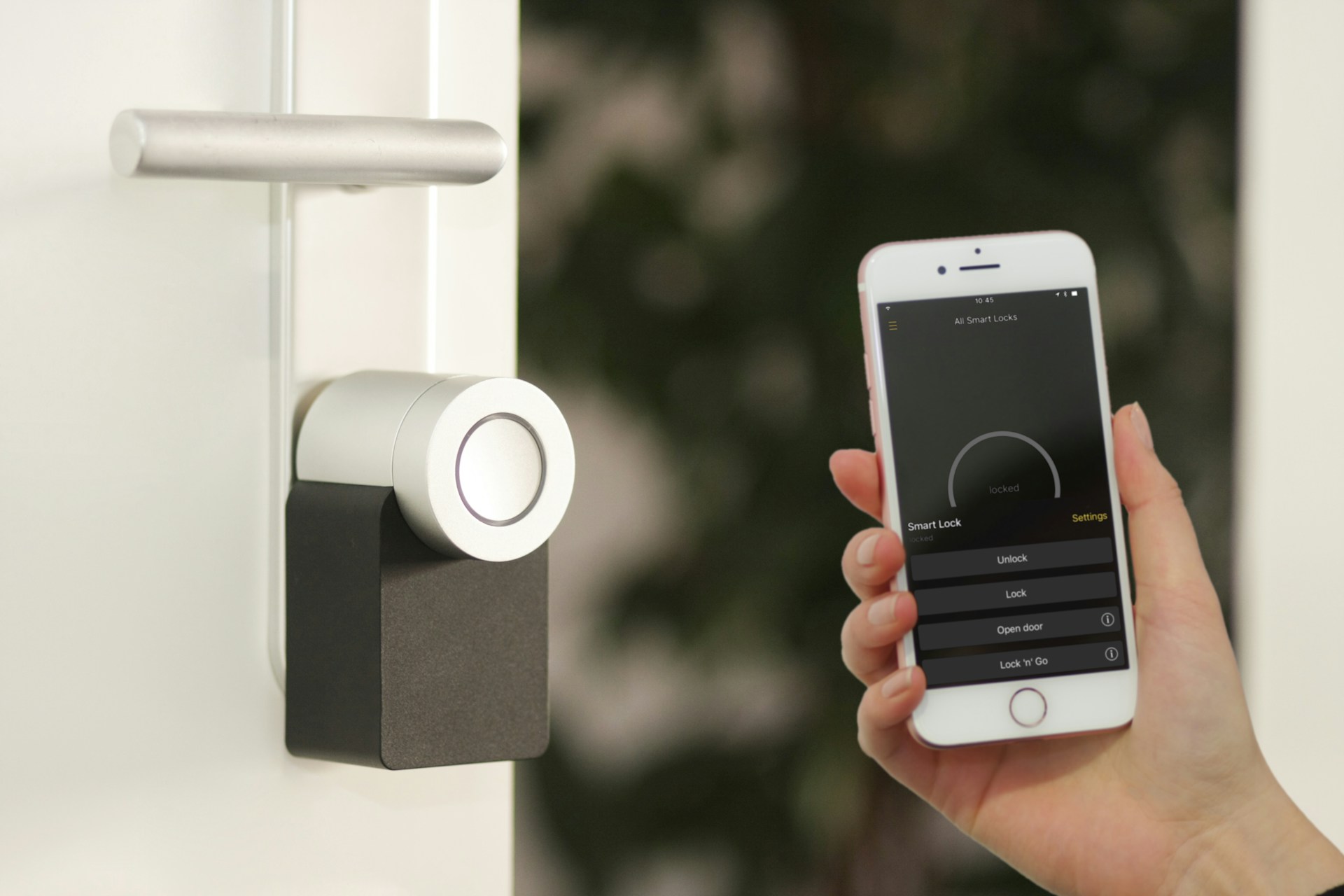
Matter smart lighting has made it easier to control bulbs, switches, plugs, and sensors from different brands in the same home. A Matter-certified light can usually be added to a supported ecosystem such as Apple Home, Google Home, Amazon Alexa, or Samsung SmartThings without requiring a brand-specific integration for basic functions. Multi-admin support can also share the same device with more than one ecosystem.
That does not mean every feature works identically everywhere. On/off control, brightness, and sometimes color or color temperature are the most portable features. Manufacturer scenes, animated effects, firmware tools, energy reports, adaptive lighting, and specialized sensor routines may still require the maker's app or a particular platform. Thread devices also need a compatible Thread border router, while Matter-over-Wi-Fi products depend on a healthy Wi-Fi network.
The practical rule for buyers in 2026 is simple: treat the Matter logo as a strong interoperability baseline, not a promise that every app will expose every feature. Check the device type, transport, hub requirements, platform support, dimming behavior, and offline operation before buying a roomful of products.
The U.S. Department of Energy (DOE) recommends efficient lighting and useful controls to reduce wasted energy. ENERGY STAR evaluates eligible lighting products for efficiency and performance. IEEE 1789 addresses modulation in high-brightness LEDs, which matters because a connected bulb can still flicker or dim poorly even when its software compatibility is excellent.

What Matter Actually Changes for Smart Lights
Before Matter, buyers often chose between closed brand ecosystems, separate bridges, incompatible apps, or cloud integrations that could break when a vendor changed its service. Matter creates a common application layer: certified devices use a shared way to identify themselves, join a home, expose supported functions, and communicate securely on the local IP network.
For lighting, the biggest improvement is onboarding. A Matter setup code can commission a supported device into a compatible controller. Multi-admin can then let another supported ecosystem control that same device without deleting it from the first home. A household might use Apple Home on one person's phone, Google Home on another, and voice control through compatible speakers while both platforms address the same lights.
Matter is not a radio. It runs over compatible network transports, most commonly Wi-Fi or Thread for smart-home devices, with Bluetooth Low Energy generally helping during setup. That distinction explains why two products with the same Matter logo can have different infrastructure needs.
Wi-Fi, Thread, Bridges, and Hubs Explained
Matter Over Wi-Fi
Matter-over-Wi-Fi bulbs and switches connect to the home's Wi-Fi network. They are familiar, widely supported, and convenient for a few devices. They need adequate wireless coverage and should use a properly secured network. A large collection of Wi-Fi bulbs can add network traffic and increase the importance of router capacity, device isolation, and reliable signal at every fixture.
Matter Over Thread
Thread is a low-power mesh network designed for connected devices. Thread lights and sensors need a compatible Thread border router to connect their mesh to the home's IP network. Some smart speakers, displays, routers, and streaming boxes include this function, but buyers should verify the exact model and generation. Owning a platform hub does not automatically mean it contains a Thread border router.
Thread can be responsive and resilient when the mesh is well formed, especially for switches, sensors, and many distributed devices. It can also be confusing if a home has old border routers, weak placement, multiple credentials, or products that receive slow firmware support.
Matter Bridges
Existing Zigbee or proprietary lighting systems do not necessarily become obsolete. A Matter bridge can expose supported devices behind it to Matter ecosystems. This lets a mature bridge-based system keep its reliable lighting mesh while gaining broader app and voice-control compatibility. The bridge decides which device features appear through Matter, so confirm support for the exact lamps, switches, sensors, and scenes you use.
Which Features Work Across Brands?
Basic controls are the safest expectation. A compatible platform will generally expose on/off state and brightness for a dimmable light. Depending on the product and controller, it may also expose color temperature, color, groups, routines, and sensor-triggered automations.
The details can vary. One app may offer a polished color picker while another exposes only presets. A manufacturer's dynamic scenes, music synchronization, gradient effects, power-loss recovery settings, or circadian features may not cross the Matter boundary. Firmware updates may occur through the ecosystem, the manufacturer app, or both. Even when two controllers support the same feature, their automation rules and user interfaces can differ.
Build the purchasing checklist around the feature you actually need:
- Confirm the light's Matter certification and device type.
- Check whether it uses Wi-Fi, Thread, or a Matter bridge.
- Verify that your controller supports that device type and feature.
- Identify which advanced settings still require the maker's app.
- Confirm whether remote access needs a home hub.
- Check multi-admin support if the household uses multiple ecosystems.
- Verify local control and recovery after internet or power loss.
- Review the manufacturer's firmware and support policy.
Does Matter Make Every Bulb and Dimmer Compatible?
No. Matter solves communication compatibility, not electrical compatibility. A smart bulb should normally receive constant power; putting it behind an incompatible wall dimmer can cause buzzing, flicker, dropout, resets, or damage. If household members repeatedly turn off the physical switch, the smart bulb becomes unreachable regardless of protocol.
A smart wall switch controls the lighting circuit and may be the better whole-room choice. Before installation, verify neutral-wire requirements, load type, minimum load, multi-way wiring, fixture compatibility, and local electrical rules. Have a qualified electrician handle work beyond your skills or where permits and code require it.
Also evaluate light quality separately from connectivity. Compare lumens, efficacy, color temperature range, color rendering, beam pattern, rated fixture type, standby power, warranty, and dimming smoothness. IEEE 1789 is relevant because current modulation can create visible or camera-detected flicker. Matter certification does not certify that every LED driver will look good at every dimming level.
Our [smart bulbs versus smart switches guide](/blog/smart-bulbs-vs-smart-switches-energy-savings) can help choose the right control point. For a larger project, use the [2026 smart lighting upgrade guide](/blog/commercial-smart-lighting-upgrade-guide-2026) to plan zones, overrides, commissioning, and cybersecurity.
A Low-Risk Upgrade Plan
Start with one room that has a clear use case. A living room may need dimming and scenes; a hallway may need a motion sensor; exterior lights may need schedules and reliable manual override. Avoid replacing every bulb before learning how the chosen products behave.
First, inventory your current controllers. Record the exact model of each speaker, hub, border router, bridge, phone, and app. Confirm current Matter and Thread support from the manufacturers. Update controller software before commissioning new devices.
Next, buy one representative bulb or switch. Add it to the primary ecosystem, test physical control, dimming, color temperature, automations, voice commands, and power-loss behavior. If multi-admin matters, share it with the second ecosystem and repeat the important tests there. Disconnect the internet briefly and confirm which local controls remain available.
Finally, scale by room or zone. Keep setup codes and receipts, use clear device names, document which app owns advanced settings, and avoid creating duplicate automations in multiple ecosystems. Place Thread border routers and Wi-Fi access points where the network can actually reach the devices.

Energy Savings Still Depend on Behavior
Matter itself does not make an LED more efficient. The savings come from efficient light sources, lower dimmed output, shorter runtime, occupancy response, daylight use, and schedules that prevent lights from staying on unnecessarily.
Start with an ENERGY STAR-certified bulb where the category and needed features are available, then compare lumens and watts rather than buying by wattage alone. Use automations for real waste: exterior lights left on after sunrise, empty rooms, overnight standby scenes, or fixtures routinely brighter than needed. Do not add layers of connected hardware where a basic LED and manual switch already match the way the room is used.
For more practical automation ideas, see our guide to [smart lighting automations that lower energy bills](/blog/smart-lighting-energy-savings-automations-lower-bill).
Bottom Line
Matter smart lighting is finally useful for mixing brands, especially when the goal is dependable basic control across more than one major ecosystem. It reduces setup friction, supports local IP communication, and gives buyers a clearer path away from single-vendor lock-in.
The remaining work is product selection. Verify Wi-Fi or Thread requirements, the exact controller model, feature support, electrical compatibility, light quality, firmware policy, and offline behavior. Pilot one device and one room before scaling. Matter makes the foundation more consistent; a reliable lighting system still depends on thoughtful hardware, networking, and commissioning.
Sources
- [U.S. Department of Energy: Lighting Controls](https://www.energy.gov/energysaver/lighting-controls)
- [ENERGY STAR: Light Bulbs](https://www.energystar.gov/products/light_bulbs)
- [IEEE Std 1789-2015: Recommended Practices for Modulating Current in High-Brightness LEDs](https://standards.ieee.org/standard/1789-2015.html)
FAQ
Do Matter smart bulbs work with every smart-home app?
They work with Matter controllers that support their device type, but the exposed features can differ. Verify the bulb and feature with your exact ecosystem, hub, and app version.
Do I need a hub for Matter smart lighting?
You need a Matter controller. Remote access and automations often rely on a home hub. Matter-over-Thread devices additionally require a compatible Thread border router, which may be built into the same product.
Can Apple Home and Google Home control the same Matter light?
Multi-admin can share a compatible Matter device between supported ecosystems. Setup flows and available features may differ, so test the functions important to your household in both apps.
Is Thread better than Wi-Fi for smart bulbs?
Neither is universally better. Thread offers a low-power mesh and can scale well with suitable border routers. Wi-Fi is familiar and convenient for smaller installations but depends heavily on router capacity and coverage.
Will Matter eliminate smart-lighting bridges?
No. Bridges remain useful for established Zigbee or proprietary lighting networks and can expose supported devices to Matter ecosystems while retaining mature lighting features.
Does Matter certification guarantee flicker-free dimming?
No. Matter addresses communication and interoperability. Driver design, electrical compatibility, dimming method, and fixture conditions determine flicker and low-end performance.
Related Articles

Networked Lighting Controls in 2026: What the Latest DLC Update Means
DLC networked lighting controls in 2026 reward verified interoperability, cybersecurity, energy reporting, and commissioning—not simply connected fixtures.

Solid-State Lighting in 2026: What the Latest LED Advances Mean for Buyers
Solid-state lighting technology in 2026 delivers better efficacy, control, color, and serviceability—but buyers still need to verify complete-fixture performance.